
Mobile OS Role in Filtering SMS Threats: 2026 Guide

The role of mobile OS in filtering SMS threats is to intercept and analyze incoming messages at the telephony stack level before the messaging UI renders content, blocking or flagging smishing attempts before users interact with malicious payloads. This system-level interception represents the most effective first line of defense against credential-harvesting and account-takeover attacks delivered via SMS. Tools like Samsung Message Guard, Symantec SEP Mobile, and Android’s built-in OTP protections each implement this function differently, and the operational gaps between platforms directly affect enterprise security posture. For MDM teams managing mixed iOS and Android fleets, understanding these distinctions is not optional. It determines whether your incident response workflows actually catch threats or silently miss them.
How does mobile OS SMS filtering work at the system level?
Mobile operating system SMS filtering operates within the telephony stack, intercepting inbound SMS and MMS before the Messages UI renders any content. This pre-render interception is the defining advantage of OS-level filtering over third-party antivirus apps, which operate in user space and only analyze content after it has already loaded. OS-level filtering avoids the resource overhead and partial coverage of app-layer solutions by running natively within the telephony stack, reducing RAM pressure and improving detection consistency.
The heuristics applied at this layer typically evaluate sender reputation, URL structure, domain age, and TLS certificate validity. Samsung Message Guard extends this further with sandboxed rendering, meaning suspicious message content is processed in an isolated environment where scripts and images cannot auto-execute. Samsung Message Guard checks sender reputation and URL heuristics, then displays blocking warnings without auto-loading images or scripts. This architecture prevents zero-click exploits, where a malicious payload executes simply by arriving in the inbox.

The performance results from this approach are measurable. Samsung Message Guard blocked 92.3% of zero-click phishing payloads across 12,740 real-world phishing messages with only 0.8% false positives. That false positive rate matters for enterprise deployments because excessive false positives erode user trust in the filtering system and lead to override behavior that defeats the protection entirely.
Local analysis preserves privacy by avoiding cloud transmission of message content, but it limits the threat intelligence available to the heuristic engine. Some implementations use a hybrid model, where local heuristics handle the initial triage and cloud analysis is invoked only for ambiguous cases. MDM teams should verify which model their deployed OS version uses, since cloud-dependent filtering introduces latency and raises data residency questions for regulated industries.
Pro Tip: Verify whether your organization’s SMS filtering relies on local heuristics, cloud analysis, or a hybrid model. Cloud-dependent filtering may conflict with data residency requirements under HIPAA, GDPR, or FedRAMP, and this distinction rarely appears in vendor marketing materials.
How do Android and iOS differ in SMS threat filtering?
The operational difference between Android and iOS SMS filtering is significant enough to require separate incident response procedures for each platform. iOS and Android handle malicious SMS links differently due to platform privacy policies: iOS silently moves flagged messages to the SMS Junk folder without generating incident reports, while Android alerts both the user and, through tools like SEP Mobile, the security console. This distinction has direct consequences for enterprise visibility.
The table below summarizes the key differences security teams need to account for when designing cross-platform SMS threat policies.
| Capability | iOS | Android |
|---|---|---|
| Filtering scope | Unknown senders only | All incoming SMS, including known contacts |
| User notification | Silent quarantine to SMS Junk | Active alert displayed to user |
| Admin/SIEM reporting | No incident reporting to cloud console | Incident data forwarded via SEP Mobile |
| Privacy constraint | Apple restricts analysis to unknown senders | Broader API access for security apps |
| Minimum app version (SEP Mobile) | 4.3.1+ | 3.3.3+ |
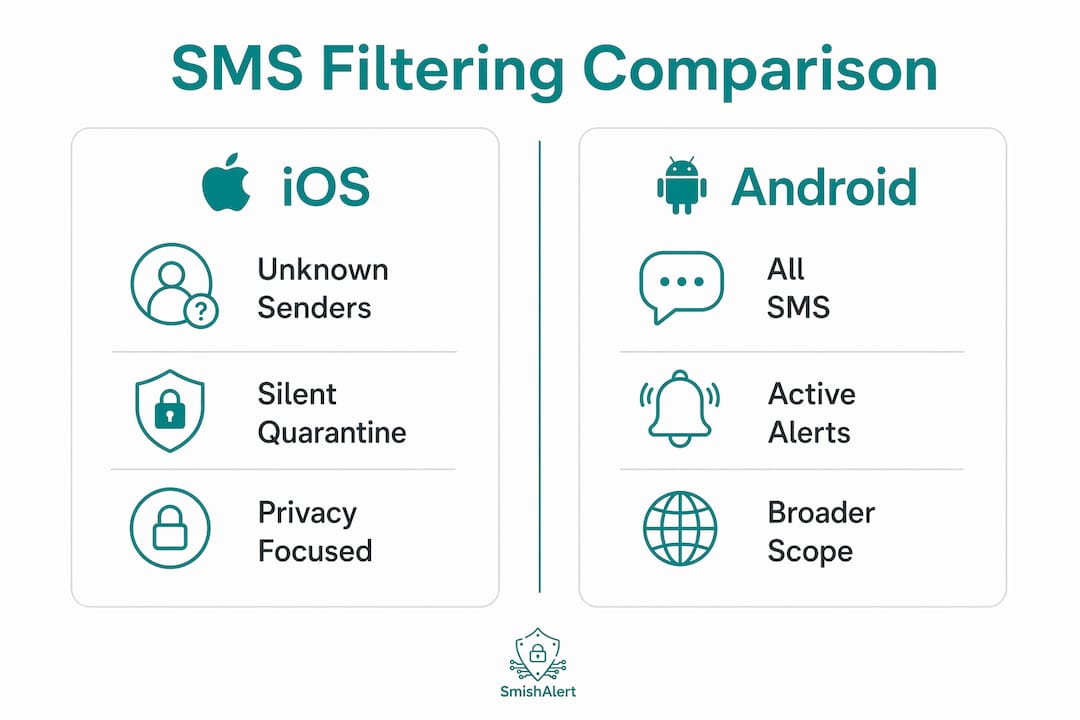
Apple restricts SMS analysis to unknown senders only, which means a smishing message from a spoofed number already in a user’s contact list bypasses iOS filtering entirely. This is not a minor edge case. Executive impersonation attacks and payroll fraud scams frequently use numbers that employees have previously saved. Android’s broader API access allows security tools to analyze messages from known contacts as well, closing this gap.
iOS privacy constraints force a silent quarantine model for suspicious SMS messages, trading security visibility for compliance with platform policies. For enterprise security teams, this means iOS devices generate no telemetry from SMS threat events. If your SIEM or SOC depends on incident correlation from mobile endpoints, iOS devices represent a structural blind spot that cannot be resolved through MDM configuration alone.
Both platforms offer native folder-based filtering for unknown senders. iOS offers a “Filter Unknown Senders” toggle and Android’s Google Messages sorts unrecognized numbers into Spam or Unknown folders. These features reduce exposure to unsolicited SMS threats but are often disabled by default, meaning many enterprise devices are running without this basic protection layer active.
What advanced OS protections exist beyond link filtering?
Link filtering addresses the most visible smishing vector, the malicious URL, but it does not protect against attacks that target the SMS channel itself as a delivery mechanism for sensitive data. The most significant example is one-time password interception. Android hides OTPs from most apps for 3 hours to protect against interception, a behavior introduced to reduce account takeover risk from malicious apps that hold SMS read permissions.
This protection matters because smishing attacks frequently use credential-harvesting pages that trigger an OTP to the victim’s device. If a malicious app on the same device can read that OTP from the SMS inbox, the attacker completes the account takeover without the user ever clicking a link. Android’s time-bounded OTP restriction closes this lateral movement path. The protection is only as strong as the app permission model, however. An app granted persistent SMS read access before the OTP restriction was implemented may retain that access.
Key considerations for MDM teams managing OTP security at the OS level:
- Audit SMS read permissions across all managed Android devices. Any app holding this permission represents a potential OTP interception vector, regardless of its stated purpose.
- Enforce minimum Android OS versions that include OTP hiding behavior. Devices running older Android releases do not benefit from this protection, and asynchronous upgrade rollout creates uneven fleet coverage.
- Recognize the iOS gap. iOS does not implement equivalent OTP hiding behavior at the OS level. Multi-factor authentication flows on iOS rely entirely on app-level controls and user behavior.
- Complement OS controls with app-level protections. Protecting OTPs from malicious apps reduces smishing attack impact significantly, but depends on comprehensive app permission management to complement OS features.
Pro Tip: Run a quarterly permission audit using your MDM console to identify any apps on managed devices with active SMS read permissions. Flag any app that is not an explicitly approved messaging or authentication tool for immediate review.
What should enterprise security teams consider when deploying OS SMS filtering?
Deploying mobile OS SMS filtering within an enterprise environment requires more than enabling a toggle in the MDM console. The importance of mobile OS in security is realized only when OS capabilities are aligned with operational workflows, version management, and user training.
Practical considerations for IT and MDM teams include:
- Align incident response procedures with OS-specific behaviors. Android generates alerts and forwards incident data through tools like SEP Mobile. iOS does not. Your runbooks need separate procedures for each platform, or you will miss iOS-based smishing events entirely.
- Manage app and OS versions actively. SEP Mobile requires version 4.3.1+ on iOS and 3.3.3+ on Android to deliver effective SMS phishing detection. Asynchronous upgrade rollout across a large fleet means some devices will always be running below the required version. Enforce minimum version policies through your MDM platform.
- Train users on override decisions. When Android presents a “block or review anyway” prompt, users who consistently choose to review anyway negate the filtering entirely. Training should address why these prompts exist and what the correct default behavior is.
- Address false positives proactively. A false positive rate above roughly 1% will generate enough user complaints to create pressure to disable filtering. Monitor false positive rates by department and adjust heuristic sensitivity where needed.
- Extend visibility beyond OS filtering. Native OS filtering does not cover smishing delivered through iMessage, WhatsApp, or other OTT messaging channels. SMS blasters and emerging SMS threat vectors bypass carrier filtering entirely, and OS-level controls may not catch all variants. A platform like Smishalert provides the cross-channel visibility that OS filtering alone cannot deliver.
Designing enterprise SMS phishing defenses requires understanding that OS SMS filtering features differ widely. Relying solely on incident reporting may leave gaps on iOS devices. The most effective enterprise posture treats OS filtering as one layer in a defense-in-depth model, not as a complete solution.
Key takeaways
Mobile OS SMS filtering is most effective when OS-level interception is combined with cross-platform incident response procedures, active version management, and supplementary visibility tools that cover channels beyond native SMS.
| Point | Details |
|---|---|
| OS intercepts before UI renders | System-level filtering blocks malicious payloads before the messaging app displays content. |
| iOS and Android require separate workflows | iOS silently quarantines threats with no reporting; Android alerts users and forwards incident data. |
| OTP protection is version-dependent | Android’s OTP hiding behavior requires current OS versions and strict app permission controls. |
| Version management is non-negotiable | SEP Mobile and similar tools require specific minimum versions to function correctly across iOS and Android fleets. |
| OS filtering does not cover OTT channels | iMessage, WhatsApp, and SMS blaster attacks require supplementary detection beyond native OS capabilities. |
Why OS-level filtering is necessary but not sufficient
The case for OS-level SMS filtering is straightforward: intercepting a threat before the user sees it is categorically better than training users to recognize it after it arrives. Samsung Message Guard’s sandboxed rendering and Android’s OTP hiding behavior represent genuine security advances, not marketing features. These controls reduce the attack surface in ways that no amount of security awareness training can replicate.
That said, I have observed a consistent pattern in enterprise deployments where teams treat OS filtering as a solved problem once it is enabled. The iOS visibility gap is the most consequential blind spot. When a smishing campaign targets a mixed-device organization and iOS devices generate no telemetry, the security team sees only half the picture. Threat correlation becomes impossible, and campaign-level attribution, which is where the real intelligence value lies, never happens.
The cross-platform disparity also creates policy inconsistencies that attackers can exploit. A threat actor running reconnaissance against an organization will quickly identify that iOS users receive no warnings and generate no alerts. That is not a theoretical concern. It is a targeting decision that sophisticated smishing operators already make. The contextual phishing warnings that OS filtering provides on Android are genuinely valuable, but they create a false sense of parity with iOS coverage that does not exist.
The future of OS-level SMS security will likely move toward greater automation in threat correlation and tighter integration between OS telemetry and SIEM platforms. But that future depends on Apple expanding its API access for security tools, which runs counter to its current privacy positioning. Until that changes, enterprises need a supplementary layer that provides the visibility iOS withholds.
— Sophie
Strengthen your SMS threat defenses with Smishalert
OS-level filtering handles the threats your mobile platform can see. Smishalert handles the rest.
Smishalert provides phishing visibility across SMS, iMessage, WhatsApp, and other messaging channels that native OS filtering does not reach. For organizations managing mixed iOS and Android fleets, Smishalert fills the incident reporting gap that Apple’s privacy model creates, delivering the campaign correlation and threat attribution that OS telemetry alone cannot provide. The platform integrates with existing MDM workflows and supports security teams in detecting executive impersonation, credential-harvesting, and payroll fraud before they result in compromise. See Smishalert’s full capabilities at RSA Conference 2026 or explore mobile phishing protection options that work without full MDM deployment.
FAQ
What is the role of mobile OS in filtering SMS threats?
The mobile OS intercepts inbound SMS and MMS at the telephony stack level before the messaging UI renders content, applying heuristics to detect and block smishing payloads. This pre-render interception prevents zero-click exploits and reduces user exposure to malicious links and credential-harvesting attempts.
How does iOS SMS filtering differ from Android?
iOS silently moves flagged messages to the SMS Junk folder without generating incident reports, while Android actively alerts users and forwards threat data to security consoles through tools like SEP Mobile. iOS filtering is also restricted to unknown senders only, leaving messages from spoofed known contacts unanalyzed.
Does mobile OS filtering protect one-time passwords from smishing?
Android hides OTPs from most apps for three hours to prevent interception by malicious apps holding SMS read permissions, reducing account takeover risk from smishing attacks. iOS does not implement equivalent OTP protection at the OS level.
What minimum app versions are required for effective SMS filtering with SEP Mobile?
SEP Mobile requires version 4.3.1 or higher on iOS and version 3.3.3 or higher on Android to deliver effective SMS phishing detection. Devices running below these versions will not benefit from full filtering capabilities, making active version enforcement through MDM a security requirement.
Can mobile OS filtering protect against smishing on WhatsApp or iMessage?
Native mobile OS SMS filtering applies to SMS and MMS channels only and does not cover OTT messaging platforms like WhatsApp or iMessage. Organizations need supplementary detection tools to address smishing threats delivered through these channels.